
Ignition Panel
Sale!


Ignition Panel
SKU: DP-IP-02
Rated 4.92 out of 5 based on 25 customer ratings
$249.95 Original price was: $249.95.$187.46Current price is: $187.46.
Available Now Upgraded Version 2 Ignition Panel!
Desktop Pilot’s Ignition Panel adds several essential controls to your flight simulator setup. With two dual rocker switches, seven toggle switches, and a spring loaded five-setting rotary switch, our ignition panel gives you precise control over critical systems like lights and engine power.
- FREE Shipping within USA!
- 30 Day Risk-Free Trial
5 Position Magneto Switch
Equipped with an spring loaded ignition key, you can control the magnetos in your aircraft’s ignition system individually.
-
Payment options:
Desktop Pilot’s Ignition Panel
Enhance your flight simulation experience with Desktop Pilot’s Ignition Panel, an essential addition to your virtual cockpit setup. This professional-grade flight simulator solution comes with a 5-position magneto switch, spring loaded ignition key, 2 dual rocker switches, and 7 toggle switches, making it top-of-the-line hardware for flight simulation. The design is based on actual Cessna 152/172/182/206 planes.
Take command of your aircraft’s ignition system with the magneto switch, which has a five-position layout, mirroring the switches found in real aircraft, including off, right magneto, left magneto, both magnetos, and start. The spring loaded ignition key allows for individual control of magnetos in the ignition system. In addition, the Ignition Panel features two dual rocker-type switches for alternator & battery and avionics Bus 1 & Bus 2, giving you complete control over the plane’s electrical system.
With the 7 toggle switches, you’ll be able to control essential functions such as the fuel pump, pitot heat, beacon lights, landing lights, taxi lights, navigation lights, and strobe lights, allowing you to manage your aircraft’s systems with ease and precision.
This professional-level simulator setup is an excellent tool for pilots, student pilots, and gamers to practice proper and accurate instrument procedures. It’s designed with plug-and-play functionality, making it incredibly user-friendly on both Windows and Mac OS. The Ignition Panel is also compatible with major flight simulators such as Microsoft Flight Simulator and X-Plane. Plus, it comes with a USB cable and mounting materials to make installation easy.
Buy yours today and elevate your virtual flights to new heights!
Features:
- Top-of-the-line craftsmanship
- Spring loaded key switch
- High-quality stainless steel 5-position magneto switch and ignition key, just like in a real aircraft
- 2 dual rocker switches and 7 toggle switches
- USB connection for reliable and stable performance
- Plug-and-play functionality on both Windows and Mac OS
- Compatible with Microsoft Flight Simulator 2020/2024 and X-Plane
Note:
- Also compatible with Xbox versions of flight simulators when run on a PC platform.
- Not compatible with Xbox gaming consoles.


- 1x – Desktop Pilot Ignition Panel
- 1x – USB cable (Type A) – 1 meter
- 2x – Velcro tapes
- 4x – Screws
- 4x – Nuts
- 4x – Washers
CUSTOMER REVIEWS
25 reviews for Ignition Panel
4.9
Based on 25 reviews
| 5 star | 92 | 92% |
| 4 star | 8 | 8% |
| 3 star | 0% | |
| 2 star | 0% | |
| 1 star | 0% |
Customer Images
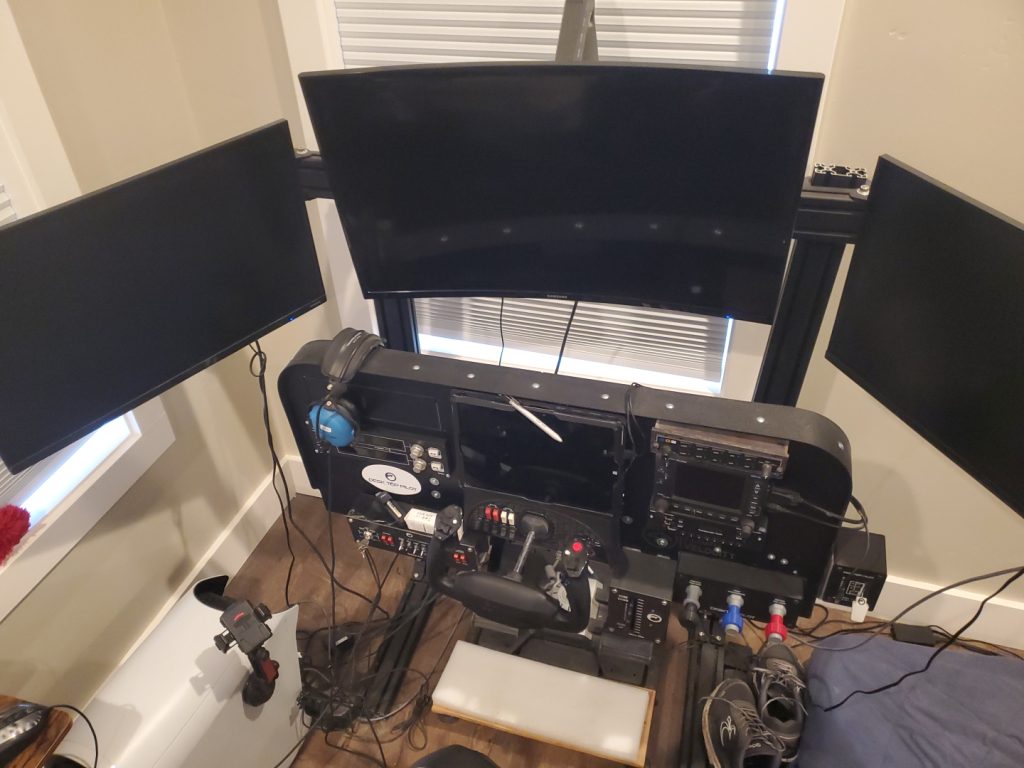


Russell S.
Great product. Used over two years now as an addition to my complete Cessna 172 sim. All functions go.
N8033Fox
When my 10 year old switch panel started to go out, I searched the market for some replacement options. There were a few options that resembled what I was looking for, but they were either not plug and play, or they were lacking other features I was wanted like a spring return magneto switch. This Ignition Panel from Desktop Pilot does just that. The key springs back from the start position like the real world counterpart. The metal toggle switches appear robust, I'm hoping the plastic rocker switches hold up sufficiently as they appear to be a digital type making end user replacement a bit more difficult if that were to happen. 3D printing has really advanced the manufacturing of flight sim components. The enclosure is 3D printed along with part of the mag switch spring mechanism. But the face plate is steel, and is easily removed from the enclosure to mount in your own panel as I have done. The footprint of the unit appears to closely resemble a 172S. The circuit breakers are non-functional, but resembled well enough for a check list flow. I considered removing them to replace with tactile buttons but the holes are too large to accept what I wanted to put there, but the size might accept an actual circuit breaker. Overall, out of the box, I would give the unit 5 stars for versatility, functionality, and appearance. My video of it in operation was too large to post here, but you can view it here: https://drive.google.com/file/d/1vLT6dn8MtEuBatvP6IQR5laXU54BPQhQ/view?usp=drive_link
N8033Fox
When my 10 year old switch panel started to go out, I searched the market for some replacement options. There were a few options that resembled what I was looking for, but they were either not plug and play, or they were lacking other features I was wanted like a spring return magneto switch. This Ignition Panel from Desktop Pilot does just that. The key springs back from the start position like the real world counterpart. The metal toggle switches appear robust, I'm hoping the plastic rocker switches hold up sufficiently as they appear to be a digital type making end user replacement a bit more difficult if that were to happen. 3D printing has really advanced the manufacturing of flight sim components. The enclosure is 3D printed along with part of the mag switch spring mechanism. But the face plate is steel, and is easily removed from the enclosure to mount in your own panel as I have done. The footprint of the unit appears to closely resemble a 172S. The circuit breakers are non-functional, but resembled well enough for a check list flow. I considered removing them to replace with tactile buttons but the holes are too large to accept what I wanted to put there, but the size might accept an actual circuit breaker. Overall, out of the box, I would give the unit 5 stars for versatility, functionality, and appearance. My video of it in operation was too large to post here, but you can view it here: https://drive.google.com/file/d/1vLT6dn8MtEuBatvP6IQR5laXU54BPQhQ/view?usp=drive_link
N8033Fox
When my 10 year old switch panel started to go out, I searched the market for some replacement options. There were a few options that resembled what I was looking for, but they were either not plug and play, or they were lacking other features I was wanted like a spring return magneto switch. This Ignition Panel from Desktop Pilot does just that. The key springs back from the start position like the real world counterpart. The metal toggle switches appear robust, I'm hoping the plastic rocker switches hold up sufficiently as they appear to be a digital type making end user replacement a bit more difficult if that were to happen. 3D printing has really advanced the manufacturing of flight sim components. The enclosure is 3D printed along with part of the mag switch spring mechanism. But the face plate is steel, and is easily removed from the enclosure to mount in your own panel as I have done. The footprint of the unit appears to closely resemble a 172S. The circuit breakers are non-functional, but resembled well enough for a check list flow. I considered removing them to replace with tactile buttons but the holes are too large to accept what I wanted to put there, but the size might accept an actual circuit breaker. Overall, out of the box, I would give the unit 5 stars for versatility, functionality, and appearance. My video of it in operation was too large to post here, but you can view it here: https://drive.google.com/file/d/1vLT6dn8MtEuBatvP6IQR5laXU54BPQhQ/view?usp=drive_link
N8033Fox
When my 10 year old switch panel started to go out, I searched the market for some replacement options. There were a few options that resembled what I was looking for, but they were either not plug and play, or they were lacking other features I was wanted like a spring return magneto switch. This Ignition Panel from Desktop Pilot does just that. The key springs back from the start position like the real world counterpart. The metal toggle switches appear robust, I'm hoping the plastic rocker switches hold up sufficiently as they appear to be a digital type making end user replacement a bit more difficult if that were to happen. 3D printing has really advanced the manufacturing of flight sim components. The enclosure is 3D printed along with part of the mag switch spring mechanism. But the face plate is steel, and is easily removed from the enclosure to mount in your own panel as I have done. The footprint of the unit appears to closely resemble a 172S. The circuit breakers are non-functional, but resembled well enough for a check list flow. I considered removing them to replace with tactile buttons but the holes are too large to accept what I wanted to put there, but the size might accept an actual circuit breaker. Overall, out of the box, I would give the unit 5 stars for versatility, functionality, and appearance. My video of it in operation was too large to post here, but you can view it here: https://drive.google.com/file/d/1vLT6dn8MtEuBatvP6IQR5laXU54BPQhQ/view?usp=drive_link
Terry Young
Great switch set . The key switch with spring back is excellent
Kenneth King
Long time CH Products user, Beta Tester. After my Saitek/Logitech Switch Panel died I was looking for something new. To replace it, I found the Desktop Pilot Ignition Switch Panel. WOW! EASY to set up in X-Plane, MSFS, as well using SPADneXt for Prepar3D. I was so impressed by the build quality and programming I went ahead and pulled the trigger on the Throttle Quadrant, Plaps Switch, Parking Brake, Pitch Trim and Fuel Select/Shut Off.
Kenneth King
Long time CH Products user, Beta Tester. After my Saitek/Logitech Switch Panel died I was looking for something new. To replace it, I found the Desktop Pilot Ignition Switch Panel. WOW! EASY to set up in X-Plane, MSFS, as well using SPADneXt for Prepar3D. I was so impressed by the build quality and programming I went ahead and pulled the trigger on the Throttle Quadrant, Plaps Switch, Parking Brake, Pitch Trim and Fuel Select/Shut Off.
Kenneth King
Long time CH Products user, Beta Tester. After my Saitek/Logitech Switch Panel died I was looking for something new. To replace it, I found the Desktop Pilot Ignition Switch Panel. WOW! EASY to set up in X-Plane, MSFS, as well using SPADneXt for Prepar3D. I was so impressed by the build quality and programming I went ahead and pulled the trigger on the Throttle Quadrant, Plaps Switch, Parking Brake, Pitch Trim and Fuel Select/Shut Off.
Kenneth King
Long time CH Products user, Beta Tester. After my Saitek/Logitech Switch Panel died I was looking for something new. To replace it, I found the Desktop Pilot Ignition Switch Panel. WOW! EASY to set up in X-Plane, MSFS, as well using SPADneXt for Prepar3D. I was so impressed by the build quality and programming I went ahead and pulled the trigger on the Throttle Quadrant, Plaps Switch, Parking Brake, Pitch Trim and Fuel Select/Shut Off.
1-5 of 25 reviews
Sorry, no reviews match your current selections
Add a review
 Ignition Panel
Rating*
0/5
* Rating is required
Your review
* Review is required
Name
* Name is required
Email
* Email is required
Add photos or video to your review

Fully Customizable To Meet Your Needs
Experience the essence of flying from a whole new perspective.
Plug and Fly on Windows
Quality Tested
Compatible with Microsoft Flight Simulator, X-Plane, and More!
Real-Time Support
30-Day Money Back Guarantee
User-Friendly
Related products
-
Throttle Box
Rated 5.00 out of 5$199.95Original price was: $199.95.$149.96Current price is: $149.96. Add to cart


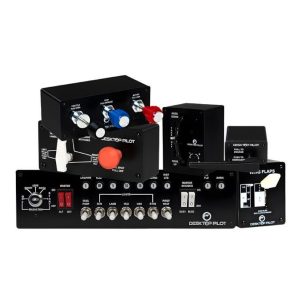


Looks and behaves like a real Cessna switch panel. The ignition key also feels realistic. Did not think I really needed it, but now that I’m using it, I feel it contributes to the realism of doing checklists on a sim. Using it with x-plane 12.
Very well made product
Great product. Used over two years now as an addition to my complete Cessna 172 sim.
All functions go.
while exploring hardware panel options for msfs2024 I met Alex. He has been extremely helpful in explaining Desktop Pilot panels and answering all my questions! We have spoken via email, text and phone. He voluntarily mentioned air shows I might attend to view flight sim equipment. He is a real asset to your company and I will use you as a supplier for my flight sim panels.
Among all the gear in my sim cockpit, the Ignition Panel stands out as my absolute favorite. The magneto key brings the startup procedure to life, and the array of switches covers everything from lights to engine control in one slick unit. Solid build, this is a must buy for any GA Lover!